


Piano by Yousician
4.41.93K Reviews
App Specs
- Version
- 5.37.0
- Updated On
- License
- Free
- Downloads
- 1,000,000+
- Developer
- Yousician Ltd.
- Categories
- Education
- Platform
- Android, iOS
Screenshots
 Analysis by AppCompare
I see Piano by Yousician as a useful way to make piano practice feel approachable, especially if a formal lesson schedule has never quite stuck. Its strongest idea is the feedback loop: you try a passage, hear where it goes wrong, and can work on it again without an audience. That can turn a vague goal like “learn piano” into a short, repeatable routine. It is not a substitute for every part of learning with a teacher, but for a beginner who needs structure and a reason to return tomorrow, it has a clear appeal.
How the lesson format helps you get started
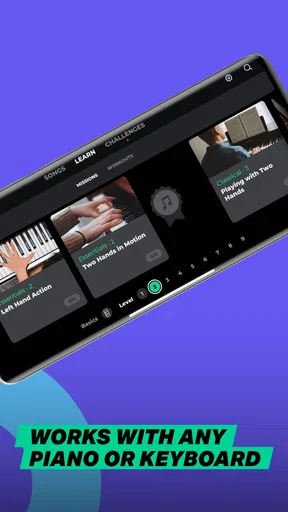
Yousician Ltd. makes this education app for people who want guided piano practice rather than a loose collection of tutorials. The lessons are arranged to lead from basic material toward more involved playing, while songs give you a practical reason to apply what you have learned. I find that combination more persuasive than exercises alone: a learner can build a small skill and then notice how it serves an actual piece of music.
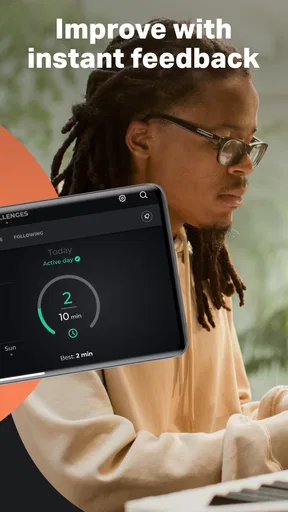
The listening feedback is especially helpful when you are practicing alone. It gives you an immediate signal about whether the notes you played match the exercise, which is more useful than simply repeating a passage and hoping it sounds right. Treat that signal as a practice aid, though, not a complete musical judgement. A listening app can help you catch note errors, but musical phrasing, relaxed posture, and the feel of a line still benefit from careful attention and, when possible, another person’s guidance.
Where it fits in a real practice routine
I would use it for focused sessions rather than expecting it to turn spare minutes into effortless progress. For example, after dinner, you could choose one lesson, spend a few minutes working through it, then replay the section that gave you trouble. The useful habit is to stop and identify what needs attention instead of racing through a score for a perfect result. Short, deliberate repetitions are more likely to build confidence than a long session in which you keep restarting from the beginning.
The app’s song-led approach can also help answer a common beginner question: what should I practice after learning a basic pattern? A familiar melody can make the work feel less abstract, while a structured lesson can give you a path when you are not sure what to tackle next. If you already have a keyboard or piano, keep it ready and use the same instrument consistently when you can. That makes it easier to focus on the playing rather than repeatedly adjusting to a different setup.
What to expect from feedback and practice tools
Real-time feedback is a convenience, but it works best when your playing environment lets the app hear clearly. Background noise, a rushed attempt, or an unfamiliar passage can make a practice session feel less smooth. If the feedback does not match what you expected, slow down mentally, check the notes, and try a smaller section rather than assuming the app has identified the whole musical problem. That kind of troubleshooting is a useful skill in its own right.
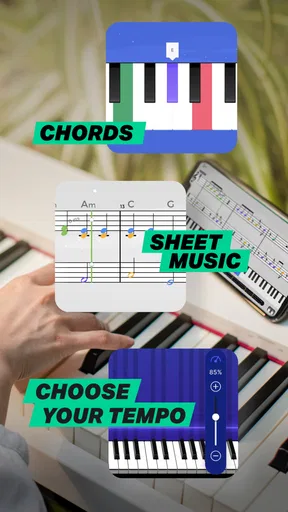
Tempo control can make a difficult passage feel manageable by letting you work below full speed before building back up. I would use it to isolate a troublesome transition, not simply to make every song easier indefinitely. Once the notes are secure at a slower pace, a gradual increase helps reveal whether the movement is becoming reliable. The trade-off is that a clean, slow run is not the same as playing confidently at the intended pace, so it is worth checking both.
Worth Reading Before You Choose

EA SPORTS FC Mobile 26 Is a Bigger Football Game, but It Takes Time

Flipboard Shows What News Apps Must Do Beyond the Feed

Switching to Android Auto Means Rethinking Your Driving Routine

Google Calendar Makes a Crowded Week Easier to Manage

Ludo King Makes the Most of the Minutes Between Plans

Baby Panda World Brings Quick Play to Modern Phones, but Its Game Library Feels Busy
Who will get the most from it
This is a sensible choice for a curious beginner who wants lessons, exercises, and music in one guided experience. It may also suit someone returning to piano who wants a structured refresher and a gentle nudge to practice regularly. The app is free to download, with in-app purchases ranging from $14.99 to $194.99 per item, so I would explore the available experience before deciding whether a paid option is worthwhile for your routine. It is rated for Everyone, and its current version is 5.25.0, requiring Android 8.0 or later.
It is less compelling if you need detailed, personal feedback on posture, hand tension, or interpretation. A human piano teacher can watch your technique and adapt a lesson to what you are doing in a way an app cannot. Likewise, experienced players looking for specialist repertoire or advanced coaching may prefer a teacher, sheet music, or a focused practice resource. The best choice depends on whether you need a guided starting point or tailored musical direction.
As an alternative to scattered video lessons, the app’s main advantage is having a more structured route through practice and an immediate response as you play. Video lessons can be better when you want to watch a particular technique explained at length; a teacher is better when you need someone to correct your physical approach. If you are comparing options, ask yourself whether you will use a guided lesson path often enough to justify any purchase, rather than choosing on the size of a song catalogue alone.
A few practical decisions before you commit
Piano practice depends on having access to an instrument, so this is not a solution for learning without a keyboard or piano nearby. Before settling into a routine, check that your playing can be heard clearly and that you have a comfortable place to practice. A quiet corner and a short, repeatable session are often more useful than waiting for a perfect block of free time. If you share a home, consider when a little repetition will be least disruptive; the same passage may need several tries.
It is also worth deciding what progress means to you. Completing lessons can feel satisfying, but a more meaningful test is whether you can play a passage again later without leaning on prompts. I would occasionally revisit an earlier exercise or song and see what has become easier. That gives you a practical measure of retention and can expose a gap before you move on to more demanding material.
The app has an average rating of 4.4 from around 25,000 ratings, with roughly 1.9 thousand written reviews and over one million installs. Those figures suggest it has reached a substantial audience, but they should not decide whether it suits your learning style. Piano progress is personal: one learner may enjoy the guided feedback, while another may find app-led practice less motivating than lessons with a person.
For everyday use, I would keep the goal modest: choose one lesson or one short musical passage, work on it carefully, and finish by playing it once without stopping. If you are stuck, reduce the challenge instead of turning practice into a test of patience. That workflow makes the app’s structure useful without letting scores or rewards become the point. It also helps you notice whether the routine is enjoyable enough to continue.
The short description is simply “Piano by Yousician,” but the practical question is whether its teaching style matches what you need. Beginners who want a guided path and an encouraging way to practice are the clearest fit. People who need hands-on correction, have no instrument available, or want highly specialised instruction should look elsewhere or pair an app with human teaching. Released on September 5, 2019, it remains a free starting point, with optional purchases for those who want to explore more.
The First Impression
Downloading Piano by Yousician was a breeze—available on both Android and iOS, it’s just a couple of taps away. The app has a sleek and inviting interface that immediately makes you feel like you’re about to embark on an exciting musical journey. Right from the get-go, it asks about your skill level, whether you’re a total newbie or a seasoned player looking to brush up on your skills.
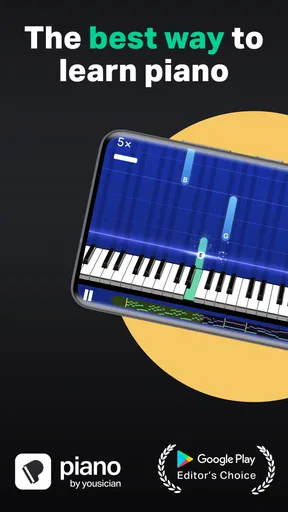
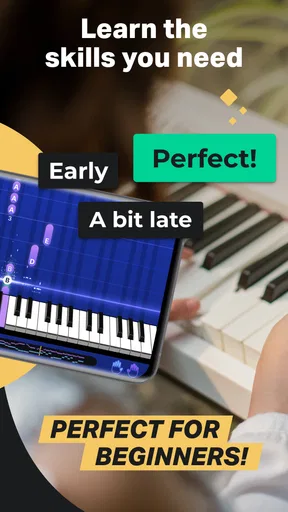
One thing that stood out to me was the use of real-time feedback. The app listens as you play and gives you immediate pointers on where you’re nailing it and where you might need a little extra practice. It’s like having a piano teacher in your pocket, minus the pressure of someone breathing down your neck.
Features That Hit the Right Notes
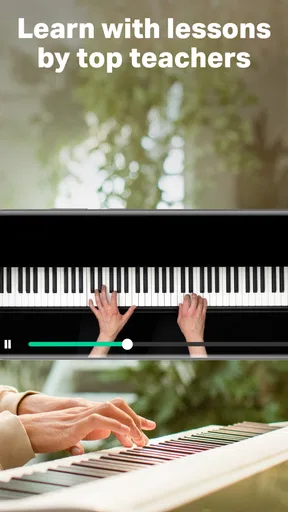
The app is packed with features that cater to every level of player. For beginners, it starts with the very basics—think hand positioning and simple scales. As you progress, it introduces more complex concepts like chords and rhythm. The video tutorials are super helpful, breaking down each lesson into bite-sized pieces that are easy to digest.
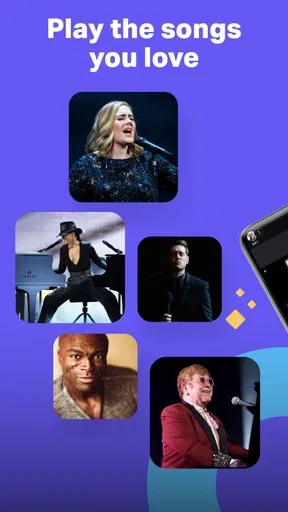
For those already familiar with piano basics, the app offers advanced lessons to refine your technique. Here’s where their huge library of songs comes into play. You can choose from a variety of genres, ensuring there’s something for everyone. Whether you’re into classical, pop, or jazz, the app has you covered.
Practice Makes Perfect
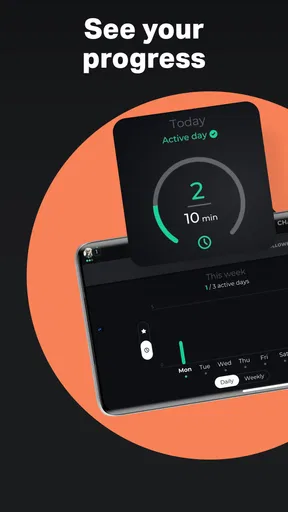
What I really appreciated was the structured practice sessions. The app encourages you to spend a little time every day honing your skills. It’s designed to be flexible, so you can practice at your own pace. Plus, the gamification aspect makes practicing feel less like a chore and more like a game—complete with rewards and achievements as you go along.
The app also includes a metronome and tempo control, which are crucial tools for any aspiring pianist. Being able to slow down a tricky section until you get it right is a game-changer. And once you're comfortable, you can gradually increase the tempo until you’re playing at full speed. It's a great way to build confidence and competence.
Community and Challenges
One of the coolest aspects of Piano by Yousician is its community feature. You can connect with other learners, share your progress, and even participate in challenges. It’s a fantastic way to stay motivated and see how others are doing. The sense of community really adds to the overall experience, making it feel like you’re part of a big, supportive network of fellow music lovers.
Wrapping It Up
Overall, Piano by Yousician is a fantastic app for anyone looking to learn piano. It’s user-friendly, comprehensive, and genuinely fun to use. Whether you’re just starting out or looking to refine your skills, it offers something for everyone. The real-time feedback, extensive song library, and engaging lessons make it an invaluable tool for aspiring pianists.
If you’re ready to turn your piano-playing dreams into reality, I’d say give it a whirl. You might just find yourself sitting at a real piano one day, dazzling everyone with your newfound skills. And who knows? Maybe you’ll even surprise yourself!
Pros
- User-friendly interface for beginners.
- Variety of songs across genres.
- Real-time feedback improves learning.
- Structured lessons with clear goals.
- Compatible with multiple devices.
Cons
- Requires subscription for full access.
- Limited offline functionality.
- Some songs only for premium users.
- Needs external microphone for accuracy.
- Occasional app crashes reported.
FAQs for Piano by Yousician
What is Piano by Yousician, and how does it work?
Piano by Yousician is an interactive app designed to teach users how to play the piano. It combines video tutorials with real-time feedback as you play along with songs. The app uses your device's microphone to listen to your playing and provides instant feedback, helping you improve your skills effectively.
Is Piano by Yousician suitable for beginners?
Yes, Piano by Yousician is ideal for beginners. It starts with basic lessons, teaching you how to read music and play simple songs. The structured curriculum is designed to guide you from beginner to advanced levels, making it easy to progress at your own pace.
Does Piano by Yousician require any special equipment?
Piano by Yousician does not require any special equipment beyond a piano or keyboard. You can use an acoustic, digital, or MIDI keyboard. The app listens to your playing using your device's microphone, so no additional hardware is needed to get started.
What kind of music can I learn with Piano by Yousician?
Piano by Yousician offers a diverse library of songs across various genres, including classical, pop, rock, and jazz. The app regularly updates its catalog, ensuring you have access to a wide range of music to keep your learning experience fresh and engaging.
Is a subscription required to use Piano by Yousician?
Piano by Yousician offers a free trial with limited features. To access the full range of lessons, songs, and features, a subscription is required. Various plans are available, including monthly and yearly options, allowing you to choose the best fit for your budget and learning goals.


